Please take a moment to review our house guide. You’ll find useful information to help make your stay comfortable and enjoyable.
If you have any questions or notice anything that needs attention, please don’t hesitate to contact us. We’re here to help.
Thank you for choosing Searenity Now. We hope you create wonderful memories and enjoy every moment of your stay.
Guest Information
& House Guide
Helpful information for a comfortable stay.
Welcome to
Searenity Now!
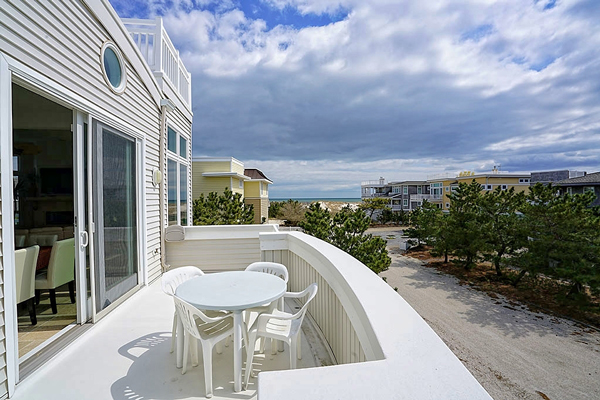
About
The lbi region
Dear Visitors,
Welcome to Long Beach Island, a treasured waterfront playground located in the heart of the Jersey Shore! There’s so much to experience here: pristine beaches, shopping, exquisite culinary offerings, arts, and entertainment, as well as cultural events that are available year-round.
Outdoor activities and entertainment options abound on LBI, including surfing, boating, biking, festivals, and concerts – just to name a few. For those visitors who simply need a space to relax, we know just how to help you slow down and enjoy the calm pace that our shore, its waters, and our serene island environment will provide.












Bathrooms
There are 6 Bathrooms in the house.
Outdoor shower
Bathroom inside the bedroom:
- Sink
- Toilet
Bathroom off the front door, by den:
- With a Tub
- Sink
- Toilet
Bathroom off the hallway by the queen bedroom:
- Shower
- Removable hand shower sprayer
- Shower chair
- Removable safety rails in the shower
- 2 Sinks
- Toilet
- Washer and Dryer
Bathroom attached to the king bedroom:
- Shower
- Removable safety rails in the shower
- 1 Sink
- Toilet
Bathroom off the kitchen:
- Sink
- Toilet
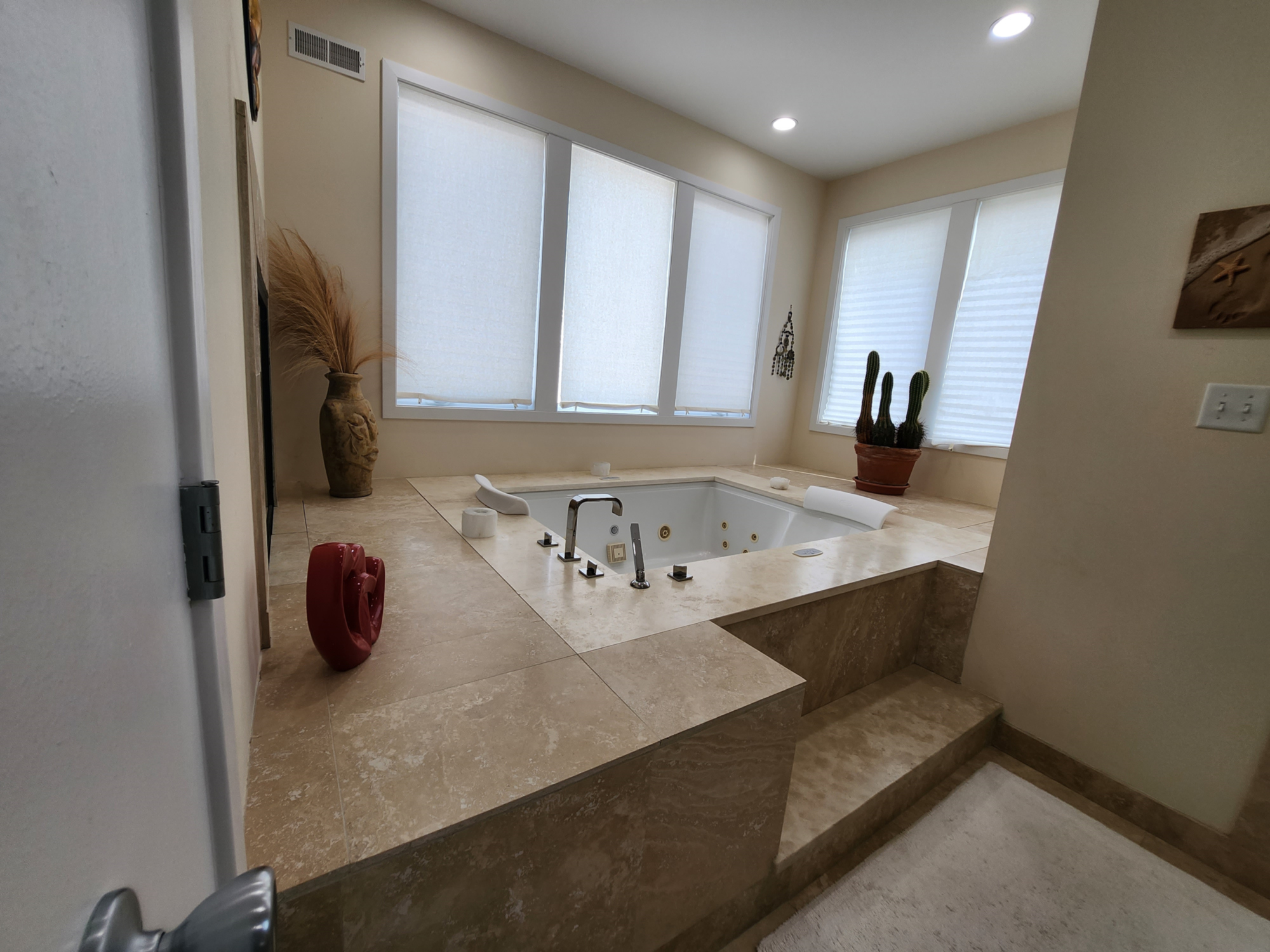
Master Bathroom:
- Large 3-head shower with steam
- Whirlpool tub
- 2 Sinks
- Toilet
- Bidet
Bedrooms
Outlets
- The outlets nearest to the beds have adapters with both USB plugs and regular 110 outlets built in.
- There is also a white QI charger with UV disinfection light (button on the side).
-
- If your phone is QI compatible simply place it on the circle and it will start to charge.
- Inside the bedrooms, by the door there is an outlet with built in night lights.
- There are also scattered nightlights in the common areas for your safety so you can see where you are walking at night without putting on the main lights.
- If any of these are distracting for you, they can be turned on or off by simply tapping the black light button on the outlet.
Scan this code for a video how to turn on and off night lights
Scan this code for a video how to turn on and off night lights

TV
- The TVs are all smart tv’s with streaming internet access. You can set up your personal accounts to use services like Netflix, Hulu, Disney, etc. or under the menu watch “free streaming tv”.
Master bedroom
- Has an adjustable Sleep Number Split King Bed
- The bed can be adjusted to raise each Head individually and the legs together
- Firmness can also be adjusted by the arrows in the middle of the bed, up for harder, down for softer, or the Sleep Number Remote
- You can listen to the TV or music from your phone via Bluetooth
- Turn on the control box on the wall under the tv
Living room:
- You can directly access any streaming service from the remote’s buttons.
- If the one you want is not there
- Hit the home key
- Then the left side of the circle
- A menu will open on the left side of the screen
- Hit down 2x to media then enter (center of circle)
- Then you can select any streaming service you have
- To use
- Turn on the Onkyo receiver
- Make sure it is set to VCR/DVD
- Turn on the Bluetooth receiver by pressing the button on the front right
- It is on the cabinet to the left of the tv (it is the on the 2nd self with an antenna sticking up)
- You will know it is on because the blue ring on it will light
- Once it is “live” the TV will ask if you want to connect to the “B06 Pro”
- Press the center of the TV remote to connect
- If that fails just unplug the Bluetooth unit power, in the back, and plug back in and the TV will ask you if you want to connect to it.
Convenience Stores and Dining
Your Guide to Nearby Dining, Convenience Stores & Ice Cream
Dining:
- Azzurri (609) 479-1014 8001 Long Beach Blvd, Harvey Cedars
- Black Eyes Susans (609) 494-4990 7908 Long Beach Blvd, Harvey Cedars
- Daymark (609) 342-1928 408 Broadway, Barnegat Light
- Kubells (609) 494-8592 28 W 7th St, Barnegat Light
- La Riva (609) 342-1928 408 Broadway, Barnegat Light
- LBI Table (609) 207-6773 502 Long Beach Blvd, Ship Bottom, NJ 08008
- Lighthouse Deli (609) 207-6167 1718 Long Beach Blvd, Surf City, NJ 08008
- Mustache Bill’s Diner (609) 494-0155 W 8th St, Barnegat Light (Fri, Sat, Sun)
- Off the Hook (609) 361-8900 1905 Bayview Ave, Barnegat Light
- Scojo’s Eatery (609) 494-8661 307 Long Beach Blvd, Surf City, NJ 08008
- Wally’s (609) 494-1667 712 Long Beach Blvd Surf City, NJ 08008
- Woodies Drive In (609) 361-7300 509 Long Beach Blvd, Ship Bottom, NJ 08008
- Everything on the whole Island: https://www.lbieats.com/

Ice Cream:
Big Dipper
(609) 494-4155
1501 Long Beach Blvd, Surf City
Dairy Queen
(609) 494-5115
208 Broadway, Barnegat Light
Harvey Cedars
(609) 361-6103
8007 Long Beach Blvd, Harvey Cedars
Poppies
(609) 361-2663
607 Broadway, Barnegat Light
Ritas
(609) 207-6494
1801 Long Beach Blvd, Surf City, NJ
Woo Hoo Long Beach Blvd
Surf City
Rick's Ice Cream
Surf City
Kelly's Cups & Cones
(609) 361-2663
607 Broadway, Barnegat Light